

Generating Fair Lineups and Rotations in Youth Sports in 1 min instead of 60 min
A Tool to Help Volunteer Parent Coaches with Lineups, Position Rotations, and Substitutions for Baseball, Softball, Soccer, and Basketball

I serve as a volunteer-parent coach for my 8-year or 11-year old in basketball, soccer, and baseball. Just recently, on June 21st, I finished assisting as a coach with my youngest son’s 8 and under (8U) baseball team.
At a young age in recreational youth sports (e.g., up to around 9 years old), two game-management priorities as a coach include generating a fielding chart in which the players experience (a) a similar amount of playing time and (b) every position across games. Let’s call these fielding-chart rules. To take this further, tracking which position each player experiences and the number of innings on the bench (sits) needs to be done across games because players cannot play every position each game.
On occasion, additional player-specific considerations need to be incorporated in the fielding chart. For example, a player who is new to baseball may be developing the skill (and associated confidence) to catch hard throws from teammates, and, as such, playing at first base may not be the right fit at the early part of a season. As a coach, you now have to generate the fielding chart with this player-specific position constraint plus the two previous rules. As you may be noticing, there are now team rules and player-specific rules that need to be followed in order to create a fair fielding chart.
Because I would make a fielding-chart mistake that I would only notice as I was generating the positions for the fifth inning, I would have to start from scratch sometimes because the error had implications for multiple player positions. Generating a fair lineup would regularly take me close to an hour (I am sure others are much faster but creating such a fielding chart and lineup requires a bit of time and focus).
Back in October 2023, I was excited to test whether AI could help generate fair fielding charts. Claude 2, from Anthropic, struggled to follow the fielding charts accurately. I would find obvious errors across multiple attempts. Opus 4 turned a corner and was more reliable in the following the rules, but remained error prone and overconfident. Opus 4.5 started to nail it to a level of consistency that made me trust its outputs, and Opus 4.8 is even better. However, it can take awhile to generate the fielding chart (e.g., 5 to 19 min on extra-high effort) in Claude Code, and it remains imperfect with its rule following, especially when the number of rules exceeds six. You can see below a mock example of the Fielding Chart that I created for every game this season in collaboration with Opus 4.7 or 4.8 (extra high or max effort).
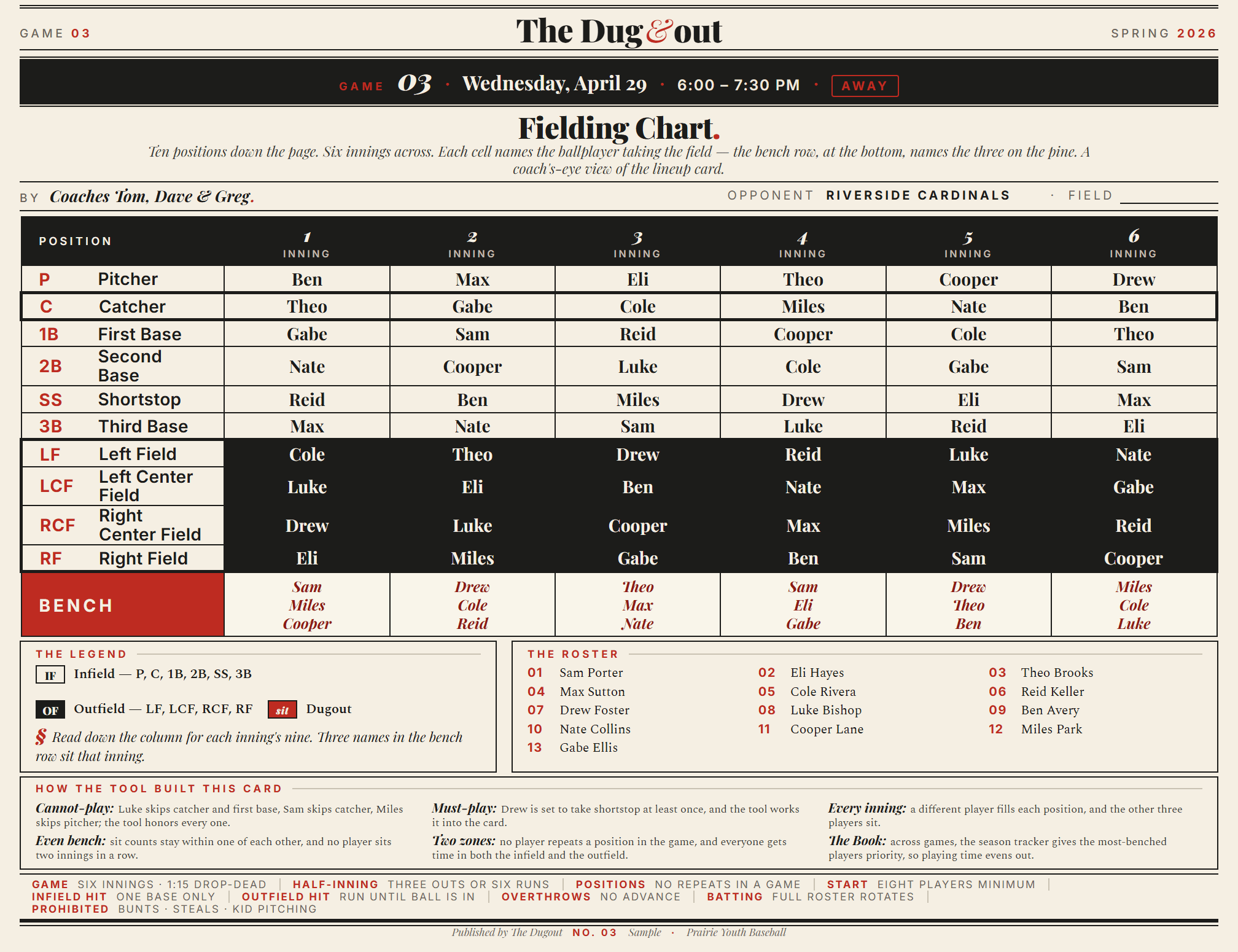
Using Claude Code also limited the portability of this process. The head coach relied on me to generate the fielding chart and the position and sit tracker that is cumulative as more games are played. He dabbled in AI, but was not use to applying it in this type of way. In additional to not being able to transfer the process, I was bothered by how long it took Opus 4.8 on extra-high effort to generate a fielding chart for the next game. At the same time, I was overly concerned about selecting a less-powerful AI model or reducing the level of effort because I did not want to experience errors.
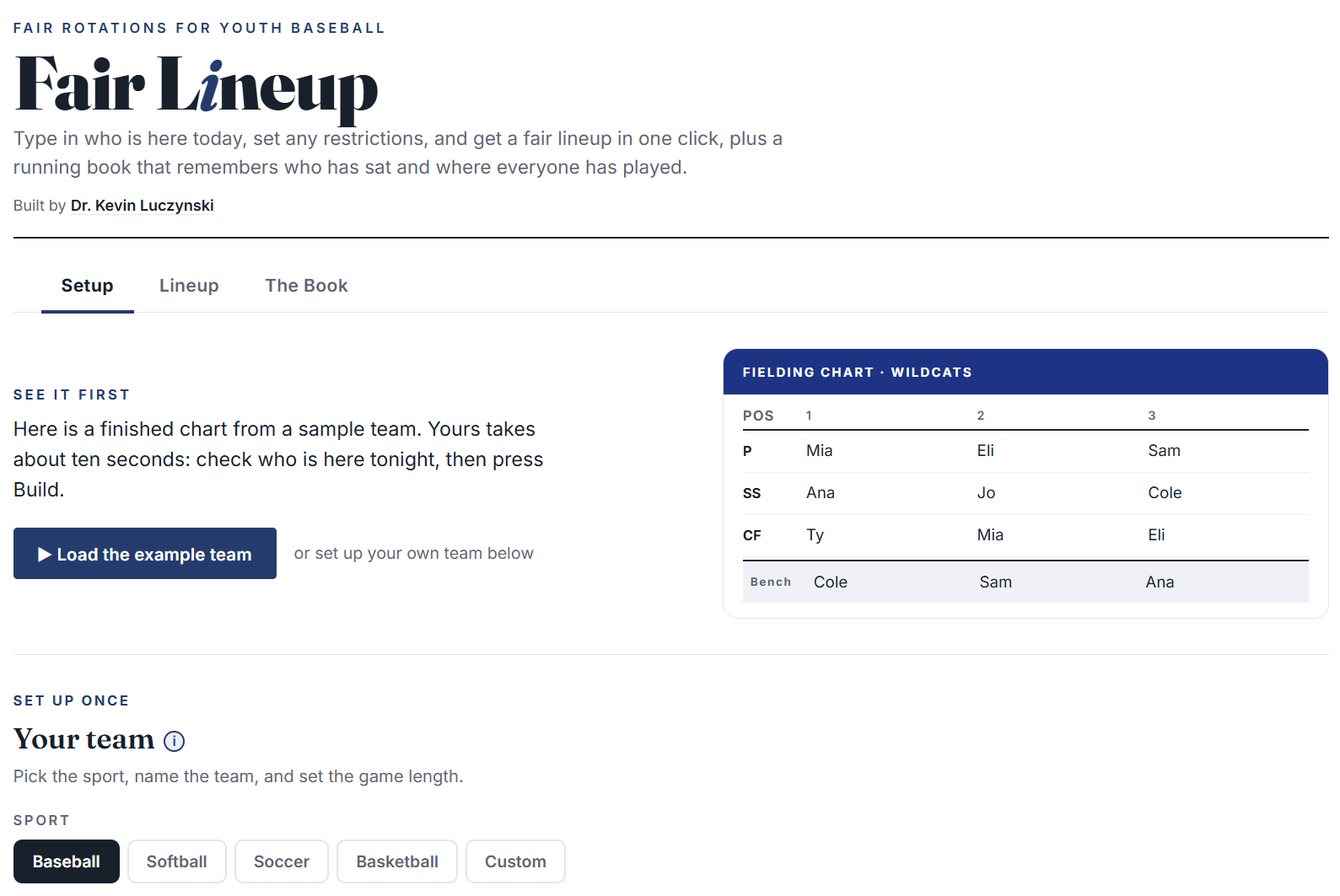
I then asked Opus 4.8 to verify, cite, and list all the ways I could create a fielding chart and teach the head coach how to generate it. It was immediately clear that we could create an HTML file with the rules (regardless of complexity) and it would accurately generate a fielding chart. So, there is no requirement for AI to be an ongoing part of this process; I just presumed this was the case. In response, over the last week, I have been refining a web app that will generate a fair fielding chart, lineup, and track player sits and positions played across games for youth baseball. I then got greedy. I had Opus 4.8 replicate the rules and interface for softball, soccer, basketball, and a “custom” sport.
You can see the sport options in the screenshot below.
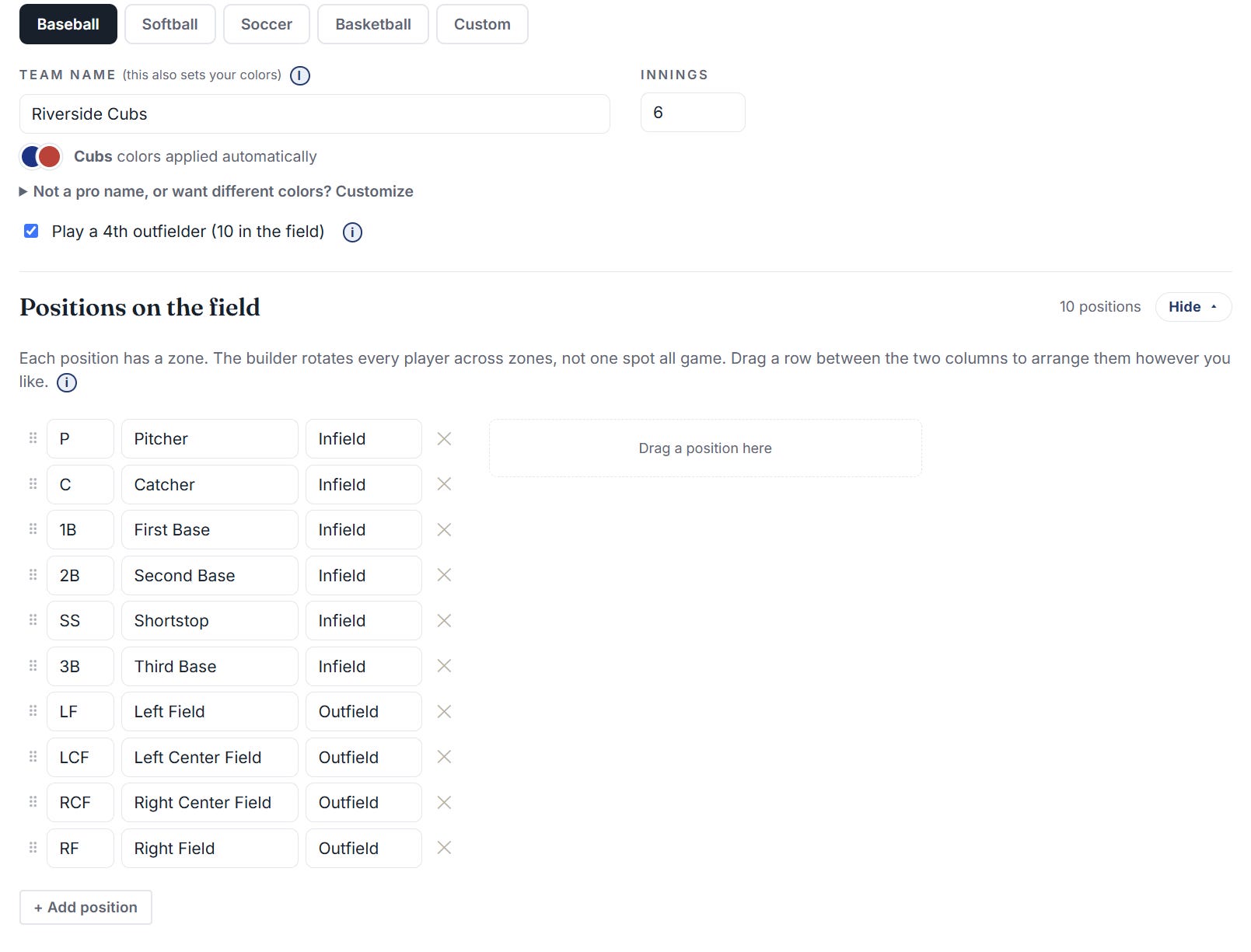
In the tool, you first confirm the positions played and what you want to call each position.
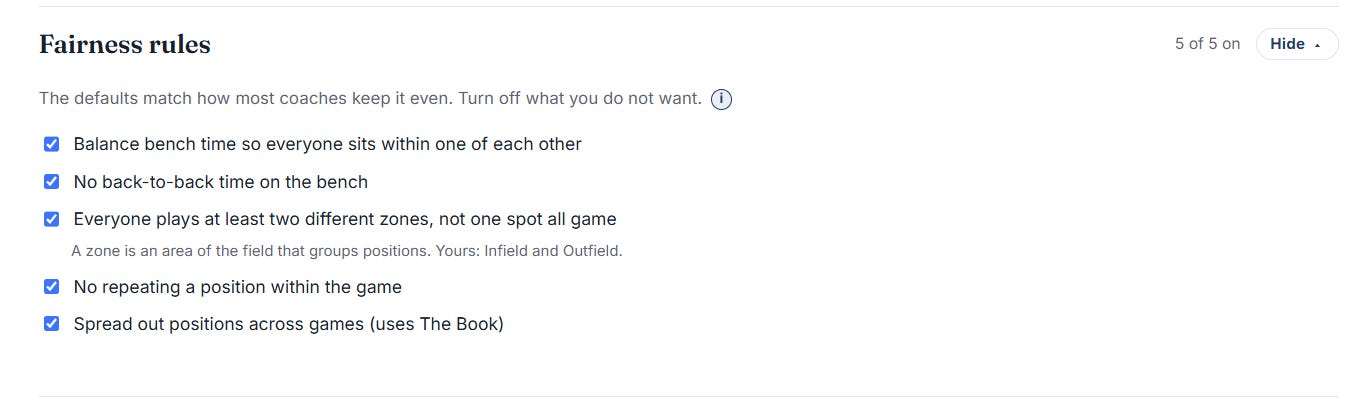
You check or uncheck Fairness rules
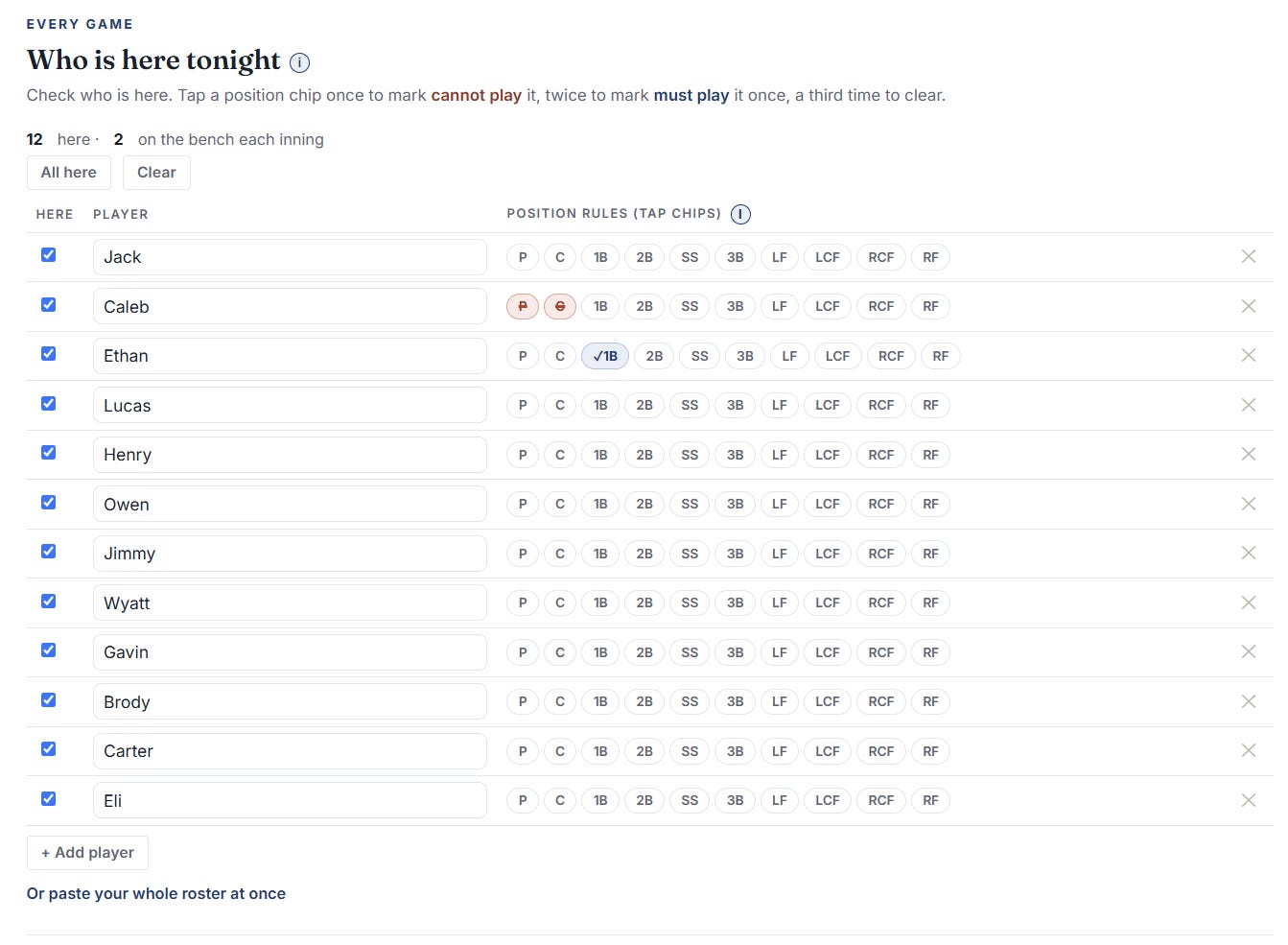
In the “Who is here tonight” section, list the players for the upcoming game and then denote any position rules. For instance, in the image below, you can see that Caleb has a red strikethrough for the Pitcher and Catcher positions for this game. As such, when the fielding chart is built, he will not be assigned to those positions. Furthermore, Ethan has been requesting to play more first base; so, for this game, he will play it once as denoted by the blue check mark next to the first-base position.
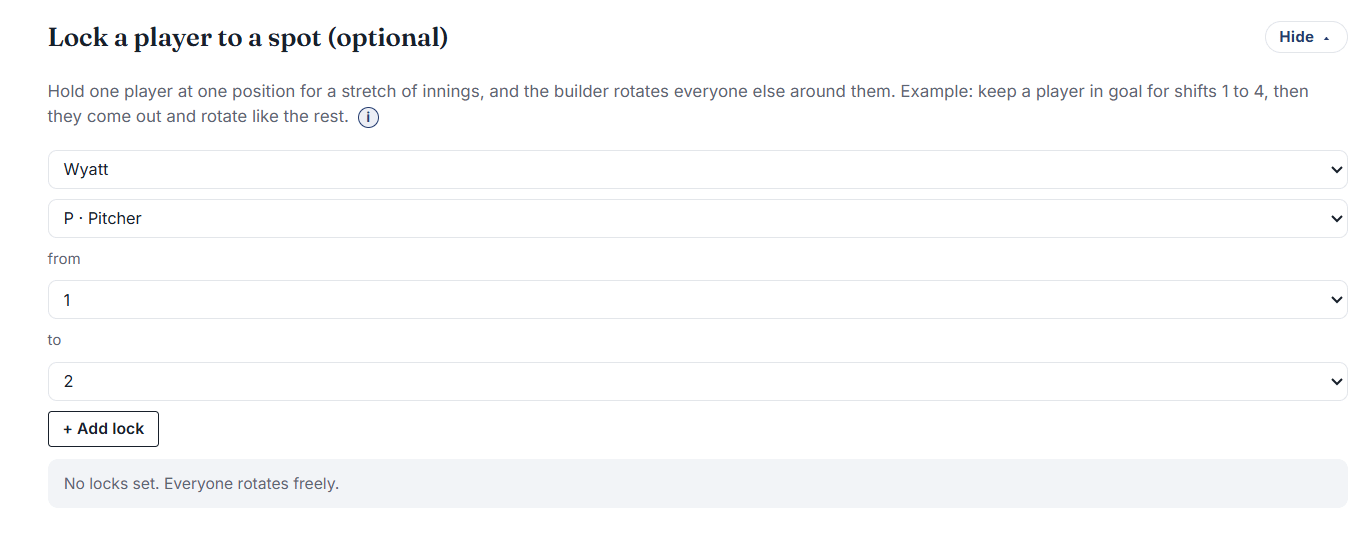
As athletes get older, they may play a position in consecutive innings. This can be accounted for by listing the player, position, and number of innings in the “Lock a player to a spot” section.
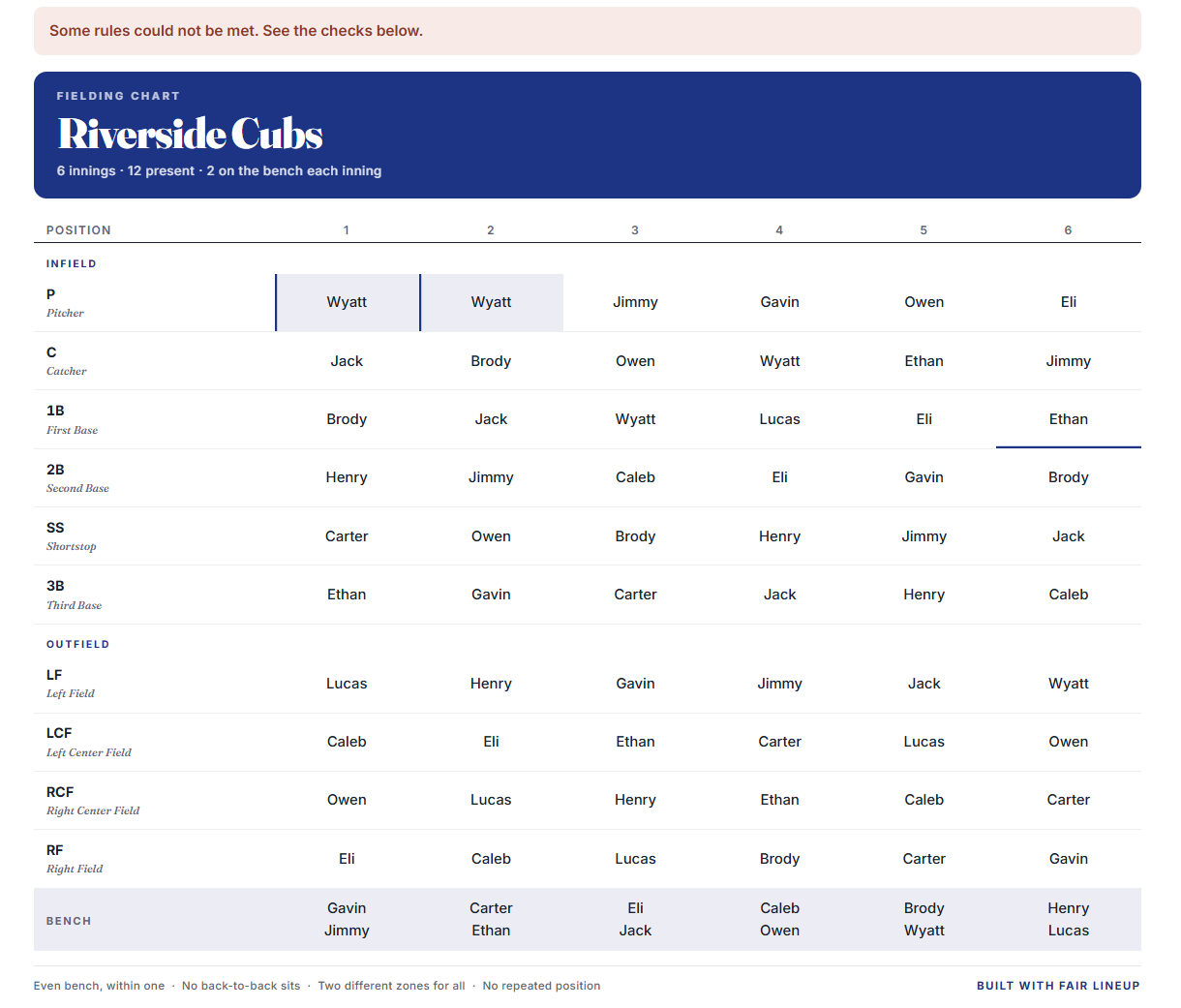
After making your selections, you click “Build the Lineup.” It generates the Fielding Chart, and details what rules were applied or not. Click the tab “Lineup.” You can see that Ethan is assigned at first base for one inning, and Wyatt is assigned to pitcher for the first and second inning as prescribed.
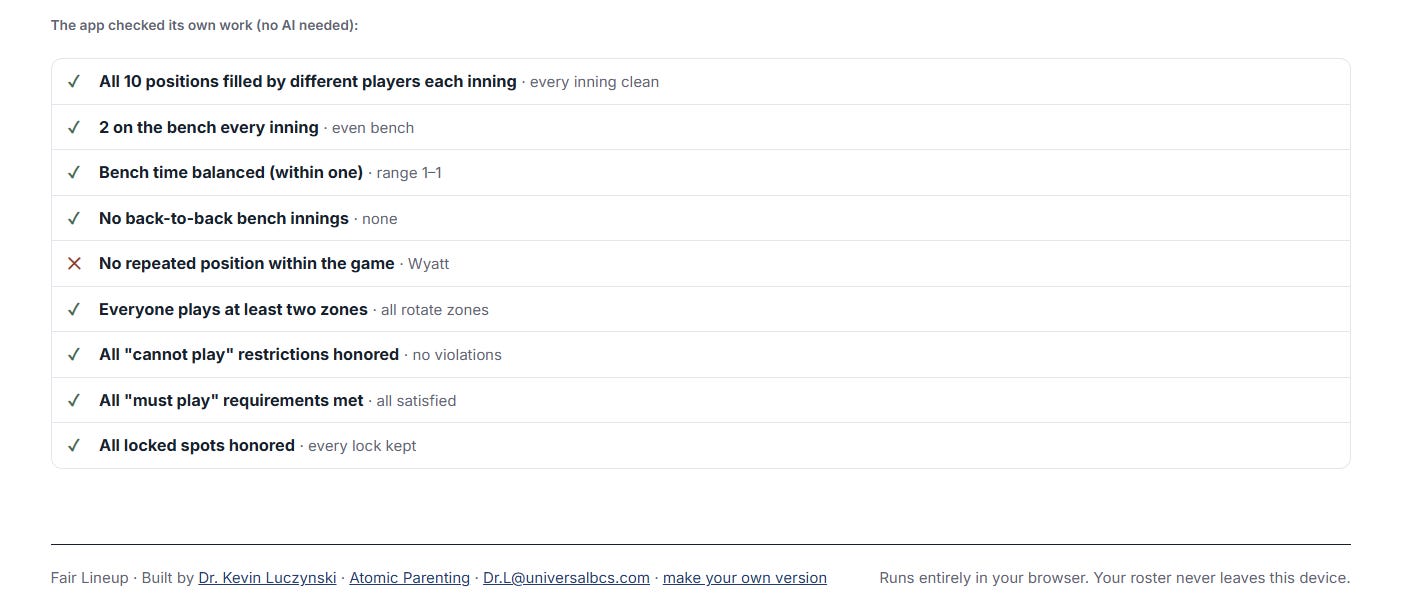
You receive a summary of the rules applied.
In “The Book" tab, a running ledger is generated that tracks innings played, sits on the bench, and the number of times each position has been played. This can be updated across games.
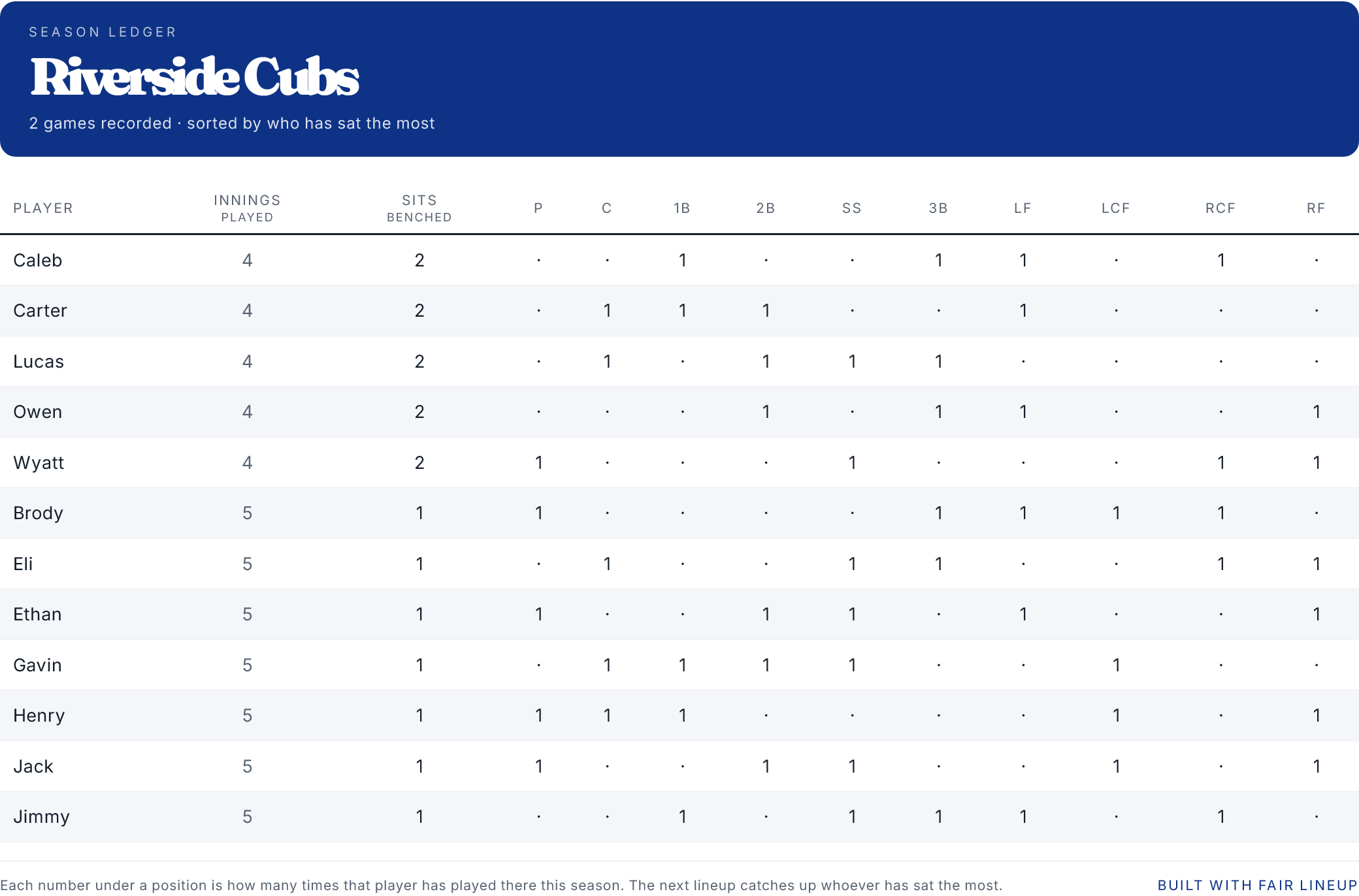
To help coaches get a sense of this coaching tool, you can select “Load example team (demo).” This same set of decisions can be applied to softball, soccer, and basketball. You can also personalize everything. For example, maybe a coach has different preferred names for positions; you can simply rename them.
Another neat aspect of this Fair Lineup tool is that a coach could make a change to the fielding chart on their phone at the game fielding and see the updated chat immediately. This allows coaches to accommodate unexpected player absences or injuries.
Check out the Fair Lineup Tool here: https://fairlineup.vercel.app/